What Are Digital Products? 15 Ideas You Can Sell Online
What are digital products? Learn what they are, how they work, and 15 digital product ideas you can sell online, with costs, skills needed, and how to choose.
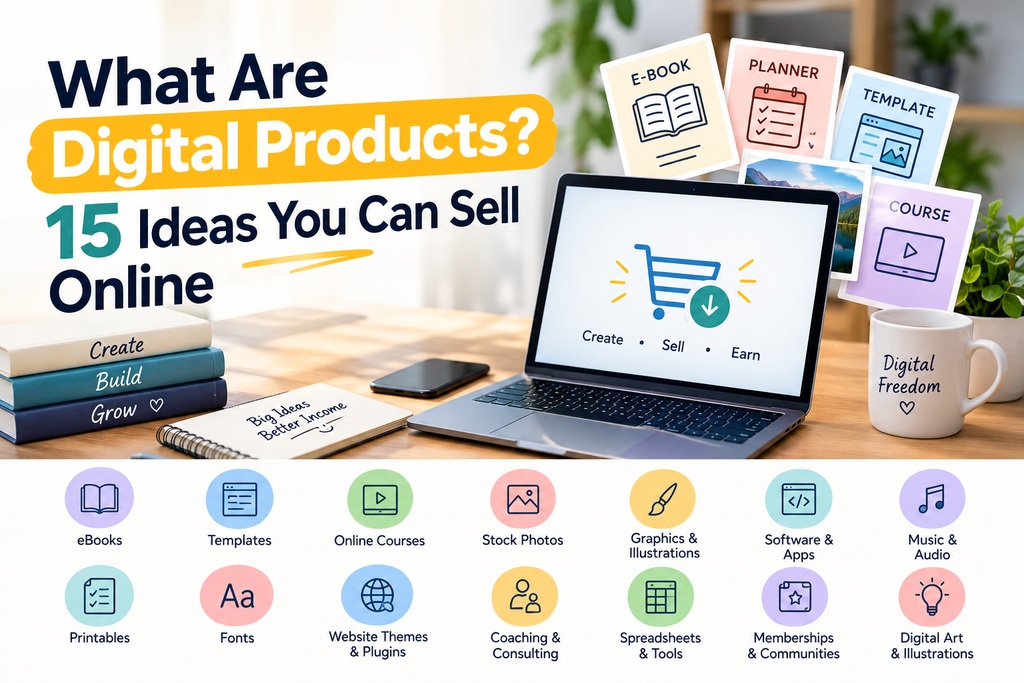
You’ve probably bought a digital product without thinking about it: an ebook, a phone app, a template, a course, or a font. Now you might be wondering if you could make one yourself and sell it.
This guide explains what digital products are, how they work, and gives you 15 digital product ideas you can sell online, with the skills and costs involved. It ends with a simple way to choose the right one and avoid common beginner mistakes.
What Are Digital Products?
A digital product is something you sell that exists only in digital form. Customers download it, stream it, or access it online. There’s nothing to ship, store, or pack.
Common examples:
- Ebooks and guides
- Online courses
- Templates (resumes, planners, spreadsheets, social media posts)
- Photos, graphics, fonts, and music
- Software, apps, and plugins
- Paid memberships or newsletters
The key idea: you create it once and can sell it again and again. Each extra sale costs you almost nothing.
Digital Products vs Physical Products
| Digital products | Physical products | |
|---|---|---|
| Inventory | None | Needed |
| Shipping | None (instant delivery) | Required |
| Startup cost | Usually low | Usually higher |
| Selling again | Same file, unlimited times | Need new stock |
| Competition | Often high, easy to copy | Varies |
| Customer returns | Rare, but refund policies vary | Common |
Pros and Cons of Selling Digital Products
Advantages
- Low startup cost
- No shipping or storage
- You can sell the same product repeatedly
- You can work from anywhere
- Instant delivery to customers
Drawbacks
- It takes time and effort to create something good
- Competition can be strong
- Files can be copied or shared without permission
- You must find your own customers
- Sales are not guaranteed, and many first products earn little
Be wary of anyone promising easy “passive income.” Most digital products take real work to create and promote.
15 Digital Product Ideas You Can Sell Online
1. Ebooks and Guides
Write a short, focused guide on something you know, such as “A 30-Day Study Plan for Board Exams” or “A Beginner’s Guide to Freelance Writing.”
- Skills: Writing, basic formatting
- Cost: Low (free tools work)
- Tip: Solve one specific problem instead of covering everything.
2. Online Courses and Mini-Courses
Teach a skill through video lessons, slides, or written lessons. A short course (1 to 2 hours) on one narrow skill is easier to finish than a giant one.
- Skills: Teaching, recording, organizing content
- Cost: Low to medium
- Tip: Start with a mini-course to test demand before you build a bigger one.
3. Printable Planners and Worksheets
Examples include budget planners, habit trackers, meal planners, study timetables, and checklists that people print or fill in on a tablet.
- Skills: Basic design
- Cost: Low
- Tip: Pick a specific audience, like “planner for university students” rather than “planner.”
4. Design Templates
Templates for social media posts, presentations, invitations, or logos that buyers can edit.
- Skills: Design sense, a design tool
- Cost: Low
- Tip: Check the license terms of any design tool, stock element, or font you use, as some don’t allow reselling them inside templates.
5. Spreadsheet Templates (Excel and Google Sheets)
Budget trackers, expense sheets, invoice templates, attendance sheets, and project trackers.
- Skills: Spreadsheet formulas
- Cost: Low
- Tip: Small businesses and students often pay for time-saving sheets that work immediately.
6. Resume and Cover Letter Templates
Clean, professional layouts, plus guidance on how to fill them in. Our guide on how to write a resume with no experience shows the kind of help buyers look for.
- Skills: Document formatting, HR basics
- Cost: Low
- Tip: Offer versions for specific groups, such as fresh graduates or career changers.
7. Notion and App Templates
Ready-made workspaces for planning, studying, or running a small business.
- Skills: Comfort with the tool
- Cost: Low
- Tip: Make a niche version, like a “freelancer client tracker.”
8. Stock Photos, Graphics, and Icons
Photos, illustrations, icon sets, and backgrounds that others can license.
- Skills: Photography or illustration
- Cost: Low to medium
- Tip: Competition is heavy. A specific theme or style helps you stand out.
9. Photo Presets and Filters
Lightroom-style presets or filters that give photos a consistent look.
- Skills: Photo editing
- Cost: Low
- Tip: Show clear before-and-after examples.
10. Fonts
Custom typefaces for designers and creators.
- Skills: Typography design (takes real skill)
- Cost: Medium
- Tip: Suits people who already have design experience.
11. Digital Art and Wallpapers
Phone wallpapers, posters, and prints that customers download.
- Skills: Drawing or digital art
- Cost: Low
- Tip: Make sure you own the rights to everything you sell, and don’t copy another artist’s style or characters.
12. Music, Beats, and Sound Effects
Royalty-free tracks and sound effects for videos, podcasts, and games.
- Skills: Music or audio production
- Cost: Low to medium
- Tip: Avoid copyrighted samples.
13. Software, Apps, and Plugins
Small tools, browser extensions, website themes, or mobile apps.
- Skills: Programming
- Cost: Medium to high (mostly your time)
- Tip: Solve one clear problem well.
14. Memberships, Paid Newsletters, and Communities
People pay a monthly or yearly fee for regular content, support, or a private group.
- Skills: Consistency, subject knowledge
- Cost: Low
- Tip: You need an audience first, so this works better after you’ve built some trust.
15. Study Notes, Worksheets, and Flashcards
Organized notes, practice questions, and revision material for students and teachers.
- Skills: Subject knowledge
- Cost: Low
- Tip: Make sure the material is your own work. Don’t copy textbooks, past papers, or other people’s notes without permission.
Quick Comparison Table
| Idea | Skill level | Startup cost | Time to create |
|---|---|---|---|
| Ebook or guide | Beginner | Low | Days to weeks |
| Mini-course | Intermediate | Low to medium | Weeks |
| Printable planner | Beginner | Low | Hours to days |
| Design templates | Beginner to intermediate | Low | Days |
| Spreadsheet templates | Beginner to intermediate | Low | Days |
| Resume templates | Beginner | Low | Days |
| Notion templates | Beginner | Low | Days |
| Stock photos and graphics | Intermediate | Low to medium | Ongoing |
| Presets | Intermediate | Low | Days |
| Fonts | Advanced | Medium | Weeks to months |
| Digital art | Intermediate | Low | Days to weeks |
| Music and sound | Intermediate to advanced | Low to medium | Weeks |
| Software and apps | Advanced | Medium to high | Weeks to months |
| Memberships | Intermediate | Low | Ongoing |
| Study notes and flashcards | Beginner | Low | Days |
These are general estimates. Your skill, tools, and time will change the numbers.
How to Choose the Right Digital Product
Ask yourself these questions:
- What do I already know or do well? Start with your own skills.
- Who has a problem I can solve? Think of a specific group, such as students, freelancers, or new parents.
- Do people already pay for something similar? Competition shows demand, but it also means you need a clear angle.
- How much time and money can I invest? Pick something you can finish.
- Can I make it better, simpler, or more specific than what exists?
Best first choices for most beginners: printable planners, spreadsheet templates, short guides, and study materials. They’re quick to make and easy to test.
How to Test Your Idea Before You Build It
- Search the idea on a marketplace and see what already sells.
- Read buyer reviews of similar products to see what people complain about.
- Ask your audience or friends what they’d pay for.
- Make a simple version first, such as a one-page template, and see if people want it.
- Pre-sell or share a free sample to gauge interest.
Where to Sell Digital Products
Common options include:
- Online marketplaces, which have built-in buyers but also lots of competition and fees
- Digital product platforms, which let you set up a simple store and deliver files
- Your own website, which gives you the most control (for example with WordPress)
- Social media, to find customers and send them to your store
Fees, rules, and country availability change often, so check each platform’s current seller terms, payment options, and supported countries before you commit.
How to Price a Digital Product
- Look at similar products and see where the market sits.
- Think about value, not just time. A template that saves someone hours is worth more than the time you spent making it.
- Start modestly, and raise prices as you gain reviews.
- Offer bundles (for example, a planner plus a checklist) to increase the order size.
- Consider a free sample to build trust.
How to Get Your First Sales
- Create a clear product page with a simple title, good preview images, and a description of who it’s for.
- Use keywords people would search for in the title and description.
- Share useful free content, like blog posts or short tips, that point to your product.
- Share in relevant communities where it’s allowed, and focus on being helpful.
- Ask early buyers for reviews.
- Improve your product based on feedback.
A blog like yours can help here. For example, a post on how to write a resume with no experience can lead readers to a resume template you sell.
Common Mistakes Beginners Make
- Making something too broad. Specific beats general.
- Skipping research. Building first and checking demand later wastes time.
- Using content you don’t have rights to, such as copyrighted images, fonts, or text.
- Poor presentation. Blurry previews and unclear descriptions hurt sales.
- Giving up too soon. Early sales are usually slow.
- Pricing too low or too high without testing.
- Ignoring customer support. Quick, polite replies build trust.
Is It Legal? Things to Check
- Copyright and licenses. Only sell what you created or have the right to sell. Check the terms for any tool, font, image, or template element you use.
- Taxes. Income from digital products may be taxable in your country. Check your local rules or ask an accountant.
- Platform rules. Each platform has its own seller policies.
- Refunds and terms. Write clear terms about downloads and refunds.